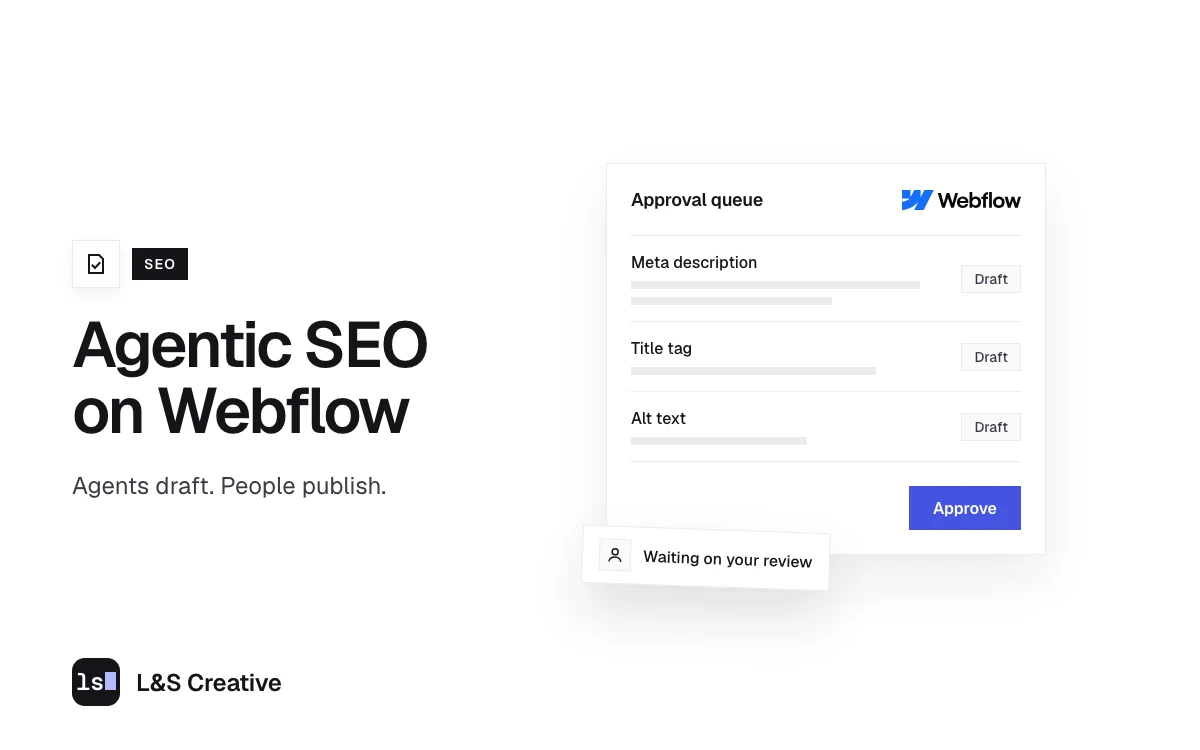
- Agentic SEO means AI agents do the SEO work. They read the site, find problems, and make the fixes inside your CMS. A person still decides what goes live.
- On Webflow, the bridge is Webflow's own MCP server, its official connection for AI tools. It lets tools like Claude edit page text, meta fields, CMS items and page-level custom code, inside the permissions you already set. Webflow says MCP 2.0 costs nothing extra.
- We tested it on real client sites. On one, an agent logged 223 SEO and copy edits as unpublished changes, including 19 meta descriptions and 6 title tags.
- Some jobs still need a person or a bigger plan. Webflow's API reserves redirects and robots.txt for Enterprise workspaces, and redirect changes only go live with a full site publish.
- Write the rules before you connect anything. On client sites, our agents never publish, check the live text before every edit, log anything they can't match, and read back every change.
- Test the published page. Some settings an agent makes look right in Webflow and still don't show up on the live site.
Agentic SEO means AI agents do the SEO work themselves: they read your site, find the problems, and make the fixes. On Webflow, an agent like Claude connects through Webflow’s MCP server (its official link for AI tools), edits titles, meta descriptions, page text and CMS items as unpublished changes, and a person reviews and publishes.
The examples below come from our own client work on Webflow.
What is agentic SEO?
Agentic SEO is SEO work done by an AI agent that can act on your site. A chatbot hands you SEO suggestions. An agent with access to your CMS opens the page, checks the current text, makes the change, and logs what it did.
The connection runs through MCP (Model Context Protocol), a standard way for AI tools to use another app’s features. Webflow runs its own MCP server, built on its APIs (Webflow MCP docs).
Agentic SEO vs AI-assisted SEO vs plain automation
“AI SEO automation” gets used for three different setups.
| Plain automation | AI-assisted SEO | Agentic SEO | |
|---|---|---|---|
| How it works | A script repeats fixed steps | An AI tool suggests, you make the change | An agent plans the steps, edits the CMS, and checks its work |
| Example | An automated rank report | ChatGPT drafts meta descriptions you paste in | An agent updates 19 meta descriptions in Webflow and logs each one |
| Who publishes | Depends on the setup | You | A person (on our client sites, always) |
The other meaning: optimizing for AI agents that search for you
Some pages use “agentic SEO” for making your site easy for AI agents to read when they search for a buyer. That is closer to answer engine optimization: see SEO vs AEO and our AEO services.
Webflow MCP: why Webflow works well with AI agents
- An official MCP server that Claude, ChatGPT, Cursor and similar tools connect to directly (Webflow MCP docs).
- Your permissions still apply. Webflow says agents work inside your existing roles and permissions, and each site can carry its own Agent Instructions (Webflow MCP docs).
- No extra fee. Webflow launched MCP 2.0 on July 21, 2026 and says it is “available to all users at no additional cost” (Webflow).
What an agent can change on a Webflow site today (tested by us)
Each item names the month we tested it.
Meta titles, descriptions and page text
On a geospatial company’s site in October 2026, an agent made 19 meta description, 6 title tag and 188 body text edits as unpublished changes. Two meta descriptions still held leftover editing notes (a character count, an instruction to trim) that could surface in Google. The agent changed only the exact words in each line, leaving nearby links and line breaks alone.
Components need care. A component is a reusable block, such as a call-to-action section. Change its default text and it changes on every page using it, unless a page overrides it. On that site, one call-to-action default appeared 28 times.
CMS items, created as drafts
For an AI company, an agent built a landing page template and CMS collection through MCP, saving every new item as a draft. A before-and-after snapshot showed 0 of 1,915 existing styles changed, and the site’s publish timestamps never moved during the build.
Image alt text
The log has 8 image alt text changes, all set on the image file in the asset library. The 7 from the approval sheet first came back flagged by the batch agent instead of being forced, and were set on the asset afterward. Setting alt text on the asset changes it everywhere that image appears, so a person should approve it knowing that.
Noindex tags and schema checks
Webflow’s docs list site- and page-level custom code as something MCP can read and write (Webflow MCP docs). In October 2026 we added a noindex tag (a line that tells search engines to keep a page out of results) to a landing page template that way and read it back.
Agents also find problems in JSON-LD, the structured data search engines read. On the geospatial site, the agent found placeholder notes in the site-wide schema where two office addresses belonged. Those addresses have to come from the client, so that row stays open.
What agents still can’t do on Webflow (as of October 2026)
- Redirects and robots.txt through the API. Webflow’s API reference marks both the 301 redirects and robots.txt endpoints: “This endpoint requires an Enterprise workspace.” On other plans, a person edits them in site settings. In our experience, Webflow applies redirect changes only with a full site publish, which pushes every other unpublished change live too, whoever made them.
- Page branches (separate working copies of a page) need Enterprise, and new localized CMS items can’t be created through MCP (Webflow MCP docs).
- HTML embed elements (boxes of raw code placed on a page). Text inside an embed element was out of MCP’s reach for us in October 2026, so those edits were made in the Designer, Webflow’s visual editor, outside MCP. Page-level custom code in page settings is a separate thing, and MCP can edit it.
- Judgment calls. One approved row added a new heading plus a new product claim. The agent stopped and handed it to a person.
Where people stay in charge: our approval model
On client Webflow sites, our agents follow these rules:
- Never publish. The rules file bans publishing the site, CMS items or branches. On edit jobs, agents also never delete or move elements or change styles, links or classes.
- Check the live text first. Each approved change carries the “before” text and the new text. If the page no longer shows the “before” text, the agent leaves it alone and logs a mismatch.
- Read back and log. After each change the agent re-reads the element. Anything it can’t find or change gets a status (not found, mismatch, needs manual) instead of a guess.
How we build SEO agents that know the client
Our agents are set up to work like a trained SEO and AEO team member, inside limits we set. Five things make that possible.
- A brief and a search questionnaire for every client. Before writing for a client, we have them fill out a search questionnaire covering brand voice, words to avoid, their audiences and the questions their customers ask, branded terms, and the facts AI tools should get right about them. Agents work from those answers, plus the client’s brief: goals, competitors, the numbers we report on, and rules such as how to describe the company. On an earlier job than the cleanup below, agents worked from the geospatial company’s questionnaire to write its site content during the build, including the meta titles and descriptions, and a person approved it before launch.
- One job per agent. Separate agents handle SEO strategy, keyword research, technical audits, writing and AI search. Each sticks to one craft and is paired with a checker for copy, facts or code, so the work is designed to be checked before a person sees it.
- Skills for repeat work. Agents follow packaged playbooks, called skills, for site audits, technical checks, schema (structured data), page reviews and AI search. The same task follows the same written steps every time.
- Written rules that grow. Every agent follows written rules, such as the brand voice guide and the rule that agents never publish on client sites. When a person corrects an agent, the fix is written into that agent’s rules or playbook, so the same mistake is caught next time. Our brand voice guide has grown section by section from corrections and review findings.
- Real data. Agents pull numbers from Google Search Console, Google Analytics 4 and DataForSEO (a keyword data tool). An unsourced claim gets labeled as a guess and checked, or left out.
People on the account still set the strategy, approve every change and publish. The agents take on the repeat work in between. Our AI automation services build this setup for other teams: agents that follow rules your team sets, with approval before anything publishes.
A real run: 223 logged edits on a client’s Webflow site
A geospatial company asked us for a site-wide copy and punctuation cleanup. From the change log dated October 6, 2026:
- Find. We scanned all 57 URLs in the sitemap and listed every proposed change in an approval sheet, live text beside suggested text.
- Approve. Every row had a person’s approval before the agent touched the site.
- Apply in batches. The agent worked through 196 rows in six batches. The other 30 rows, mostly the meta titles and descriptions plus component defaults and an HTML embed, were handled outside the batches. One, the schema addresses, is still open.
- Flag instead of guessing. On the first pass, 14 of the 196 batch rows came back flagged. One of them, a row that added a new product claim, went to a person.
| Result | Rows |
|---|---|
| Applied as unpublished changes | 223 |
| Left as is on purpose | 1 |
| Needs a person (new heading and new claim) | 1 |
| Open (placeholder addresses in the schema) | 1 |
The log records all 223 applied changes as unpublished. Publishing them is a person’s decision.
How to set up agentic SEO on your Webflow site
- Connect Claude to Webflow with the Webflow connector for Claude. MCP can’t create new site projects, so the site must exist first (Webflow MCP docs).
- Give the agent only what it needs: one workspace, one site, the narrowest role.
- Write the rules file: what the agent may change, what it must never do, what needs approval. Webflow’s Agent Instructions are a good home for it.
- Start with a read-only audit. Our free Three-Layer Website Audit playbook lists twelve checks across search, AI visibility and conversion.
- Move to unpublished edits with a change log: page, field, approved “before” text, new text, result.
- A person publishes, then checks the live HTML.
What to check before you trust an agent on Webflow
- Test forms on the published page as well as in the Designer, and have any form script match fields by element ID.
- Scan component defaults in site-wide text jobs. A page text search may not see text that comes from a component’s default.
- Re-check page-level noindex after duplicating a page. Confirm the tag is in the duplicate’s published HTML.
- Have the agent list the sites it can reach before it starts. Each authorization covers one workspace, and the list can change when the connector is reconnected.
Is agentic SEO right for your team?
It fits sites with many CMS pages and repeat SEO tasks. Three questions decide it:
- Who approves and publishes? If nobody on your team can, wait.
- Does your Webflow plan cover the work? An agent can only reach redirects, robots.txt and page branches on Enterprise.
- Is your gap doing the work or deciding it? Agents handle repeat edits. Strategy stays with your team.
If the site itself needs rebuilding first, start with Webflow design and development.
FAQ
What is agentic SEO?
Agentic SEO is SEO work done by AI agents that can take actions on your site. The agent reads pages, finds issues, and makes the edits in your CMS, such as meta titles, descriptions, alt text and page copy. In a safe setup, every edit stays unpublished until a person reviews it and publishes.
Is agentic SEO the same as agentic search optimization?
They are two different jobs that share a name. Agentic SEO, as we use it, means AI agents doing the SEO work for you. Agentic search optimization means making your site easy for AI agents to read and act on when they search for a buyer. The second job sits closer to AEO.
Can Claude edit my Webflow site?
Yes, through Webflow’s MCP server. Claude can edit page text, meta fields, CMS items and page-level custom code, within the roles and permissions on your Webflow account. Redirects and robots.txt stay out of reach on most plans, because Webflow’s API reserves them for Enterprise workspaces.
Does Webflow MCP cost extra?
Webflow says MCP 2.0 is available to all users at no additional cost (announced July 21, 2026). You still need a paid Site plan to publish on your own domain, a plan that covers any feature the agent uses (page branches need Enterprise), and your own AI tool, such as a Claude plan.
Can an AI agent publish to my live site?
If your permissions allow it, yes. Webflow’s MCP tools include publishing, which is why the rules file matters. Our agents are told never to publish on client sites. A person reviews the changes and publishes.
Do AI SEO agents actually work?
For the editing work, yes, when the rules are tight. On one client site an agent logged 223 edits and flagged the rows it couldn’t match instead of guessing. Agents also miss things and can’t supply missing facts. We have no ranking results from these runs to share yet.
How is this different from asking ChatGPT for meta titles?
A chat prompt starts from what you type into it. Our agents start from the client’s brief, written rules and Search Console and DataForSEO data. They make the change inside the CMS as an unpublished edit and log it, and a person reviews and publishes. The setup is also designed to pair each agent with a checker.
Does agentic SEO replace an SEO team?
It takes the repeat editing off the team. People still set the strategy, approve every change, supply facts like addresses and product claims, publish, and check the live site afterward.
Want agents doing the SEO work on your Webflow site?
Book a Strategy Call and bring the SEO tasks your team repeats most. We will show you which ones an agent can take on. Read more about our SEO services and our AEO services.